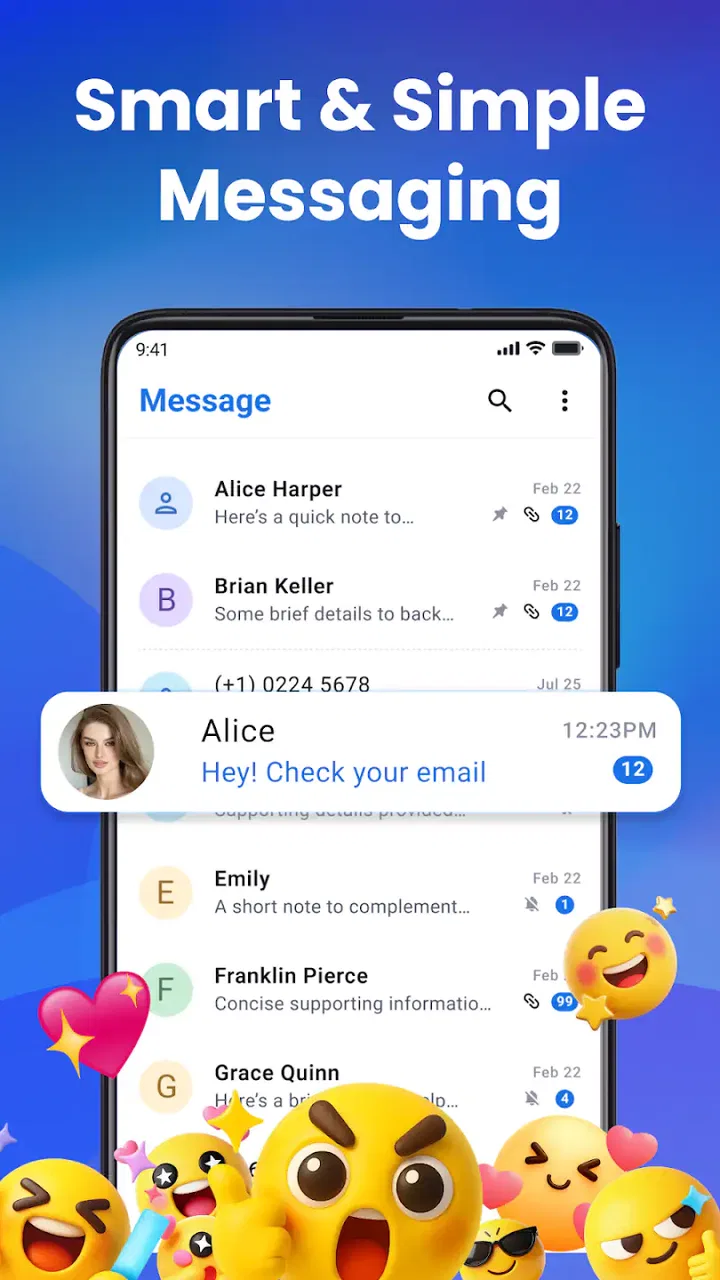
Messages: Text SMS Home App
- 3.5
- Rating
- 1.00M
- Installs
- Free
- Price

 Analysis by App-foxy
Messages: Text SMS Home App is the kind of communication app that tries to make everyday texting feel more central to the phone itself. I found its appeal less in replacing every messaging service and more in combining ordinary SMS use with a home-launcher approach. That makes it interesting for someone who wants messages closer to the surface, rather than hidden behind several taps.
My overall view is positive but measured: this is a practical customization choice, not an automatic upgrade for every Android user. It is free to install, aimed at everyone, and developed by Color Delight Studio. The app has reached over one million installs, which gives it a noticeable user base, although its average score of 3.6 from roughly three thousand ratings suggests that the experience is not equally convincing for all users.
How Messages: Text SMS Home App feels in daily use
The first thing I noticed is that this is not presented as a narrow SMS utility. Its store summary combines smart texting with a home launcher, so the central idea is to bring communication and the phone’s starting point closer together. In practice, that changes how I think about it: I would install it when I want a more message-focused phone layout, not simply because I need another place to read a text.
You May Also Like

 Blood Strike: 2.5 Anniversary
Blood Strike’s Loadouts Turn Every Drop Into a Tactical Gamble
A close look at Blood Strike’s custom loadouts: how fast access to signature weapons reshapes its battle royale rhythm, rewards preparation, and narrows the gap between fights.

 Pandora - Music & Podcasts
Pandora’s Music Is Easy to Start, but Harder to Recover
Pandora’s strength is its low-effort path from a seed to a station. Its weak spot is how much confidence it asks you to place in connection, setup, and quiet recovery.

 8 Ball Pool
 Is Built on Rivalries, Rematches, and Routine
A close look at the rivalries, rematches, shared routines, and unanswered safety questions that turn a quick pool match into a persistent mobile community.

 Samsung Music
’s Quiet Strength Is Playing What You Already Own
Its reach comes less from spectacle than from dependable access to a personal library. That simplicity is both the app’s strongest retention engine and its ceiling.

 AccuWeather: Weather Radar
AccuWeather Review: A Quick, Clear Forecast for Everyday Decisions
For everyday plans, the best forecast is the one you can understand quickly. AccuWeather makes rain timing, radar, and local conditions easy to act on, with a few trade-offs.

 Hill Climb Racing
Why Hill Climb Racing Still Turns Crashes Into One More Run
A tiny car, a bumpy hill and one more upgrade: Hill Climb Racing keeps resurfacing because its simple chaos makes every near-miss feel personal.
More From Our News Desk



That distinction matters. Standard messaging apps usually concentrate on conversations, contact threads, media attachments, and sending tools. A launcher adds another layer: it affects how I reach apps and how I begin common tasks. Messages therefore sits between a traditional texting replacement and a home-screen personalization tool. That combination can be useful, but it also means the app deserves a more careful trial than a basic SMS client.
For a normal texting routine, the value is straightforward. Imagine I am leaving work and need to tell someone that I will arrive late. A message-centered home experience can make that action feel more immediate: I begin from the same communication-oriented environment instead of treating texting as one isolated icon among many. The benefit is small in a single moment, but it becomes more noticeable when I send and check messages repeatedly throughout the day.
I also see a possible advantage for people who prefer a simpler phone rhythm. Someone who does not want to search through a crowded home screen may appreciate an interface built around reaching people quickly. That is especially relevant on a secondary phone, a family device, or any handset where messaging is more important than games, shopping, or social feeds.
The launcher idea is the real differentiator
Many SMS applications look similar once a conversation is open. The more distinctive part here is the home-launcher direction. Instead of judging the app only by how messages appear, I would judge whether its starting environment makes the whole phone easier to use. If the launcher arrangement helps me reach conversations without losing access to the rest of the device, it has a reason to exist.
There is a trade-off, though. A home launcher is more intrusive than an ordinary app. It can influence muscle memory, the first screen I see, and the path I use to open other applications. That means I would not switch to it casually on a phone I rely on for work until I had tested it for a while. The right question is not “does it send SMS?” but “does this communication-first home experience suit the way I use my phone?”
One useful way to test it is to use it during a predictable part of the day. I would make it my starting point for a morning, send a few routine texts, open unrelated apps, and then return to conversations. This reveals more than briefly opening the app once. A launcher can seem attractive in isolation but feel inconvenient when I need to move quickly between texting, maps, email, and other everyday tools.
The app was released on October 3, 2024, and its current version is 1.39. It requires Android 10 or newer, so compatibility is reasonably focused on more recent devices. That requirement is worth checking before planning a switch, particularly if the app is intended for an older spare phone. On a supported device, the version information suggests an actively maintained product line, but I would still treat updates as a reason to recheck the layout and behavior after installing.
Where it works best for real communication habits
I think the strongest audience is people who use SMS as a primary everyday channel and want fewer barriers between unlocking the phone and reaching a conversation. It can also suit users who enjoy changing the feel of their device rather than accepting the manufacturer’s default home screen. The app’s communication category is a better description of its purpose than calling it a general productivity tool.
It may be particularly practical for a person who keeps a short list of important contacts and wants those conversations to remain prominent. A parent coordinating school pickup, a small business owner handling customer texts, or a user managing appointments through SMS could all benefit from a home experience that treats messaging as a first-class activity. The gain is not advanced organization; it is reducing the distance to a task that already happens often.
Another less obvious use is a focused secondary device. If I wanted a phone mainly for calls, texts, and a few essential utilities, a communication-oriented launcher could help keep that role clear. It would be less appealing on a phone where I constantly jump between many unrelated apps, because the launcher’s central idea may then feel like an extra layer rather than a shortcut.
I would also consider the app for someone who finds conventional home screens visually distracting. A message-led starting point may encourage a more deliberate routine: check important conversations, complete the necessary reply, and then move on. That is not the same as a full digital-wellbeing system, and I would not expect it to solve notification overload by itself. Still, changing the first screen can influence habits in a way a standalone texting app usually does not.
What I would check before making it the default
The biggest practical question is whether the launcher behavior feels natural alongside the phone’s existing software. Android devices vary widely in navigation, default-app handling, and manufacturer interfaces. I would install the app, explore its home experience, and keep the original launcher available until I was comfortable. If switching back requires too much effort, that alone would be a reason to reconsider using it as the main home environment.
I would also pay attention to how it fits with my usual contact workflow. If I normally begin a conversation from a contact card, a notification, or a separate messaging shortcut, a launcher-centered approach may not save time in every situation. The best result should come from repeated habits, not from the novelty of a different home screen. For occasional texters, the change may offer little practical return.
Another point is the boundary between SMS and other communication services. Messages is most relevant when the people I contact are reachable through ordinary texting. If most of my conversations happen in internet-based messengers, email, or workplace platforms, this app’s focus becomes less compelling. I would choose a broader communication hub in that situation, especially if I need one place for several services rather than a stronger SMS starting point.
There is also a learning cost. Even a familiar texting task can feel slower for the first few days when the home screen, shortcuts, or navigation pattern changes. I would not recommend deploying it immediately before travel, a busy work period, or giving it to a less technical family member without testing it first. The app may be simple in purpose, but changing the phone’s starting point affects more of the device than installing a normal messaging app does.
The cost question and the rating context
The app is free, which makes experimentation easy. It also includes in-app purchases ranging from $9 to $120 per item, so I would look carefully at what is optional before spending anything. A free download is useful here because the launcher concept is personal: no description can tell me whether the layout will genuinely improve my routine. I would use the free experience long enough to decide whether it saves time before considering any purchase.
The age rating is Everyone, which makes the app broadly approachable from a content standpoint. That should not be confused with a guarantee that every device setup will feel equally easy. The phone model, Android interface, and a user’s comfort with changing defaults can matter just as much as the app itself.
The average rating of 3.6 is a useful signal to interpret rather than ignore. It indicates that the app has attracted substantial interest but that the experience has clear room for disagreement. With around eighty written reviews, I would read recent comments for practical patterns, especially around the launcher experience and everyday reliability, instead of assuming the score tells the whole story.
In my view, the rating makes the trial approach even more sensible. People who want only a conventional SMS inbox may see the launcher concept as unnecessary, while users who actively want a communication-first home screen may value the same design. A mixed response is understandable because the app changes the phone’s broader interaction model, not just the appearance of a conversation thread.
Who should choose it, and who should skip it
I would recommend Messages: Text SMS Home App to an Android user who texts frequently, likes a customized starting screen, and is comfortable testing a different way to reach apps. It makes the most sense when messaging is one of the phone’s main jobs. It is also a reasonable experiment for someone setting up a focused device where contacts and SMS matter more than a large collection of unrelated services.
I would be more cautious if I depended on several messaging platforms at once. In that case, a unified service or the strongest app for the dominant platform may be more efficient. I would also skip this one if I am perfectly happy with the manufacturer’s launcher and current SMS app. There is no reason to add a layer merely because it is available; the change should solve a real annoyance.
Users who need advanced communication features should compare carefully with established alternatives. A conventional SMS client may provide a more familiar conversation-first workflow, while a full-featured internet messenger may be better for group chats, media sharing, and cross-platform communication. Messages has a narrower identity: it brings texting into a launcher-led experience. That focus is its strength, but also its limit.
For a family member who wants a straightforward phone, I would test it myself before recommending it. The Everyone rating is reassuring for general content, but usability is personal. A clean, message-oriented home screen could be helpful for one person and confusing for another who has learned the default Android layout. The safest recommendation is to try it without immediately abandoning the familiar setup.
My verdict after weighing the trade-offs
Messages: Text SMS Home App has a clear idea, and I appreciate that it does more than imitate a standard text inbox. Color Delight Studio has positioned it as a communication app with a home-launcher role, giving it a distinct reason to be installed. For frequent texters who want the phone to begin with people and conversations, that can be a meaningful improvement in daily flow.
Its weakness is equally clear: the broader the launcher ambition, the more the app must fit the user’s entire phone routine. Someone who wants a simple replacement for an existing SMS app may find the change unnecessary, while users who rely on many communication platforms may need something more universal. The free entry point makes testing worthwhile, but I would avoid treating optional purchases as part of the decision until the basic experience proves useful.
My recommendation is therefore specific rather than universal. Try it if texting is central to your day and you genuinely want a message-focused home screen. Keep your previous launcher available during the adjustment period, test it across both messaging and unrelated tasks, and decide based on whether it reduces friction rather than whether it looks different. If that communication-first workflow clicks, the app offers a thoughtful alternative to the usual SMS setup. If it does not, a conventional messaging app will probably be the better and simpler choice.
Bottom line: this is a worthwhile free experiment for Android users who want SMS to shape the way they start using their phone, but it is not a universal replacement for a familiar texting app or a multi-service messenger.
FAQs for Messages: Text SMS Home App
01What features does the Messages: Text SMS Home App offer?
The Messages: Text SMS Home App offers a variety of features, including customizable themes, group messaging, scheduled messages, and emoji support. It also integrates with your contacts for seamless communication and provides a clean interface for managing your messages. Additionally, it supports multimedia messaging, allowing you to send pictures, videos, and voice notes.
02Is the Messages: Text SMS Home App secure and private?
Yes, the Messages: Text SMS Home App prioritizes user privacy and security. It includes features such as end-to-end encryption for your messages and an option to lock the app with a PIN or fingerprint. This ensures that your conversations remain private and secure from unauthorized access.
03Can I use the Messages: Text SMS Home App on both Android and iOS devices?
Currently, the Messages: Text SMS Home App is available primarily for Android devices. While there may be plans to expand to iOS in the future, users should check the app store for the latest availability on their respective platforms. Make sure to download the app from a trusted source.
04Does using the Messages: Text SMS Home App incur any additional charges?
The app itself is free to download and use. However, standard messaging rates may apply depending on your mobile carrier's plan. It's advisable to check with your service provider to understand any costs associated with sending SMS or MMS messages through the app.
05How does the Messages: Text SMS Home App handle multimedia messages?
The app supports a wide range of multimedia messages, including photos, videos, and audio clips. You can easily attach these files to your messages and send them without hassle. The app compresses files for efficient sending while maintaining quality, ensuring a smooth user experience.
Pros
- Intuitive and user-friendly interface.
- Supports multimedia messaging seamlessly.
- Customizable themes and backgrounds.
- Efficient notification management.
- Syncs across devices effortlessly.
Cons
- Limited integration with third-party apps.
- Occasional delays in message delivery.
- Lacks advanced privacy features.
- No end-to-end encryption available.
- Limited support for group chats.

Messages: Text SMS Home App
Gallery